V1.0 FINAL — FIRST PUBLIC RELEASE
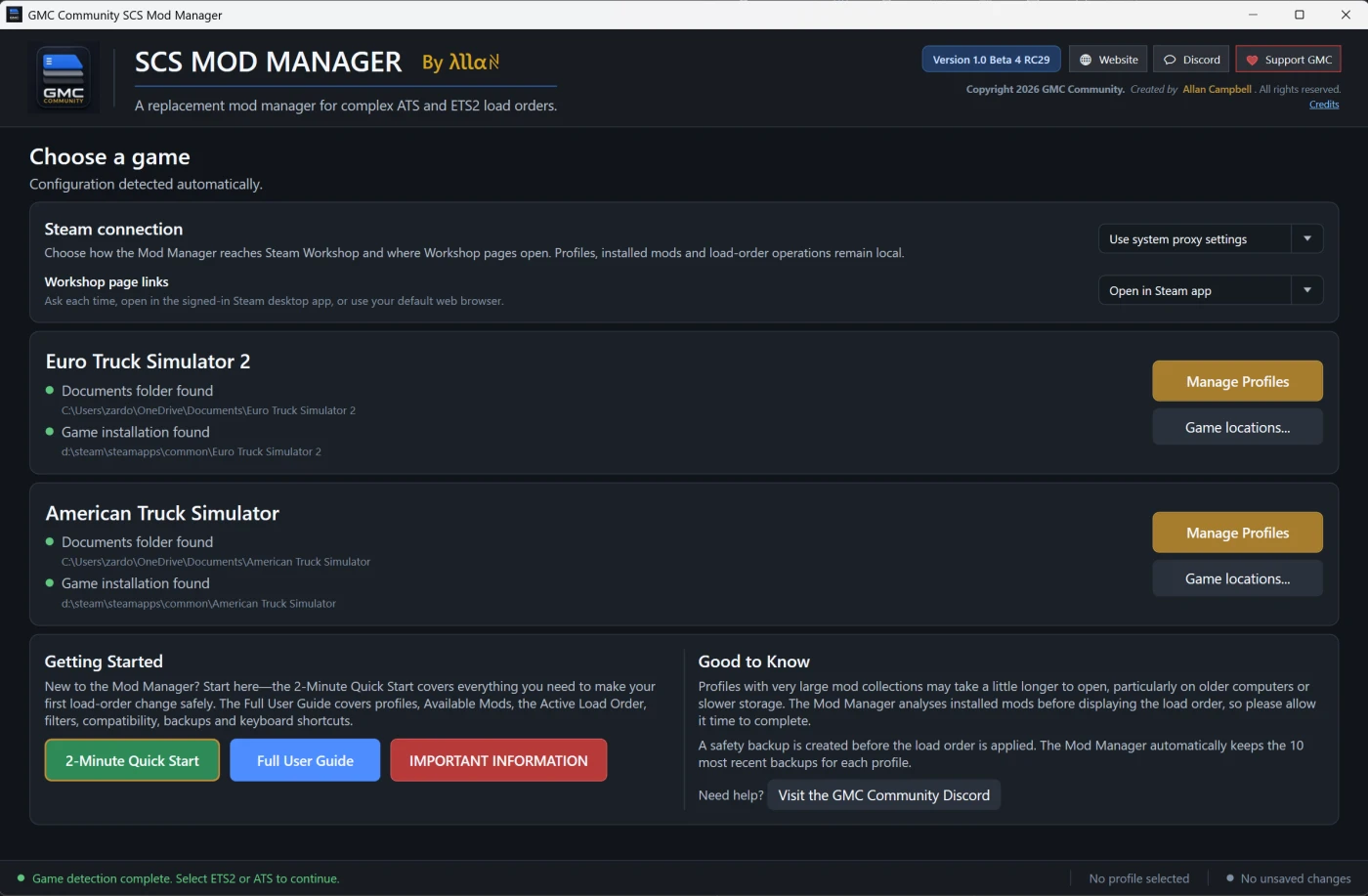
GMC Community SCS Mod Manager V1.0 Final is our first complete public release for Euro Truck Simulator 2 and American Truck Simulator.
This release combines all development since Beta 4 RC30, with a major focus on safety, accurate mod identification, automatic updates and improved recovery tools.
VERSION INFORMATION
• Public version: V1.0 Final
• Internal file version: 1.0.4.74
• Supports ETS2 and ATS
MAIN CHANGES SINCE RC30
• GAME-RUNNING PROTECTION
Mod Manager can remain open while ETS2 or ATS is running. When the currently selected game starts, its workspace automatically becomes view-only.
Editing, applying load orders, recycling mods, restoring backups and transfer operations remain locked until the game closes. Any changes already staged in Mod Manager are preserved.
When the game closes, Mod Manager safely synchronises the installed mods, profiles and selected saved load order.
• AUTOMATIC MOD-FOLDER AWARENESS
Mod Manager now watches the selected game’s local mod folder and installed Steam Workshop folders.
Adding, removing, replacing or restoring a local mod normally updates Available Mods automatically. These updates are event-driven and combined into a controlled refresh, avoiding constant full rescans.
Only folders belonging to the currently selected game are watched.
• IMPROVED REFRESH BEHAVIOUR
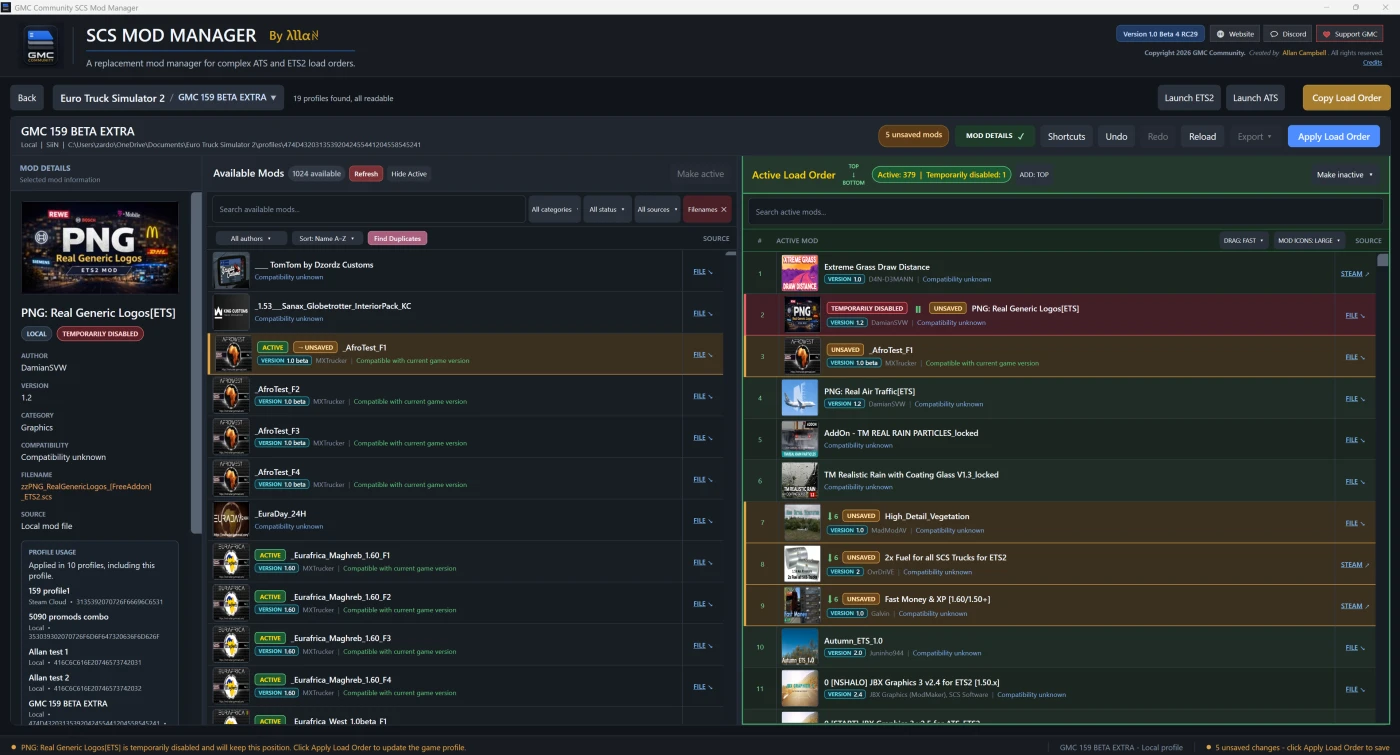
The red Available Mods Refresh button updates the installed mod catalogue without deliberately reloading the selected profile or discarding staged changes.
The profile-selection panel has its own Refresh option for rereading Local and Steam Cloud profiles.
Reload still returns the workspace to its saved load order and warns before discarding unapplied changes.
• UNSAVED-CHANGE WARNING
Using Back, Reload, profile switching or closing with unapplied changes now produces a clear warning.
Keep Editing is the safe/default option.
• BACKUP & RESTORE
A dedicated Backup & Restore system has been added.
Users can create named per-profile load-order snapshots in a chosen folder. Restoring a snapshot stages the order for review and reports any missing mod content.
A restored order must still be saved through the normal protected Apply Load Order process.
• RECYCLE BIN SUPPORT
Eligible local .scs files, .zip files and supported unpacked mod folders can now be moved to the Windows Recycle Bin.
A clear warning is displayed first, with Cancel as the safe/default choice.
Mod Manager never uses permanent deletion as a fallback. Steam Workshop items, profiles, backups and files outside the configured mod folder cannot be recycled through this feature.
• DUPLICATE FINDER IMPROVEMENTS
Duplicate Finder remains conservative and read-only. Finding duplicates never changes files.
It considers filenames, metadata, component/version evidence, file size and selective SHA-256 checks while treating intentional BASE, DEF, MAP, ENG and similar component sets cautiously.
Recycling is a separate action with its own confirmation warning.
• SHOW MISSING
Missing active mods remain in their exact saved load-order positions and are never silently removed.
The new SHOW MISSING option makes missing references easy to locate, even in extremely large load orders.
• CORRECT .SCS AND .ZIP IDENTIFICATION
Same-name .scs and .zip packages remain separate entries, with their own versions, metadata, artwork and FILE targets.
Where an SCS profile stores a package name without an extension, Mod Manager now follows the game’s .scs precedence instead of incorrectly choosing the highest version number.
Genuine ambiguity remains clearly marked as MULTIPLE FILES and is never resolved through guesswork.
• PROFILE USAGE SYNCHRONISATION
Profile Usage information is refreshed from applied profile data after external changes made inside ETS2 or ATS.
The Mod Details panel should no longer retain stale usage information after the game closes and synchronisation completes.
• INDIVIDUAL MOD TRANSFERS
Individual load-order entries can be staged between compatible profiles.
Both profiles retain independent pending changes and review controls. Transfers copy load-order references only—they do not copy physical files or Steam subscriptions.
• SEARCH AND FILTER IMPROVEMENTS
Available Mods and Active Load Order now have independent searches.
Additional filtering, result counts, SHOW MISSING, exact FILE navigation and exact numeric STEAM links make large mod collections easier to manage.
• WORKSHOP DISPLAY NAMES
Unresolved installed Workshop items can be given a manual local display name.
This changes only the text displayed inside Mod Manager. It does not rename Steam files, change subscriptions, modify profiles or affect load orders. Workshop identity always remains tied to its numeric ID.
• EXPORT IMPROVEMENTS
Applied load orders can be exported using supported text and CSV formats.
Export remains read-only and is disabled while unapplied changes are present.
• FINAL RELEASE PRESENTATION
All Beta and RC branding has been replaced with the green Version 1.0 Final identity.
The Quick Start, Full User Guide, Important Information and staff support documentation have been updated for the final release.
SUPPORT
For help, questions or bug reports, please join the official GMC Community Discord:
https://discord.com/invite/gmc-community
When reporting a problem, please include the Mod Manager version, ETS2 or ATS game version, profile storage type, exact steps taken, complete error message and a cropped screenshot or short video where useful.
Please hide personal Windows usernames and private folder information before posting screenshots publicly.
Thank you to everyone who tested the release candidates and supplied feedback throughout development.